
Online advertising is how businesses reach people across the internet. It covers ads on search engines, social apps, websites, mobile apps, and streaming video. If you have used the web today, you have seen dozens of them.
The basic idea is simple. You pay to put your message in front of people who are likely to care about it. Everything else is detail.
That detail can feel overwhelming at first, though. The industry loves acronyms, and most guides assume you already know them. This one does not. We start from zero, explain each piece in plain words, and point you to a deeper guide whenever you want more.
It helps to know the scale you are stepping into. Global ad spending is forecast to reach $1.170 trillion in 2026, according to eMarketer, and digital channels take the largest share of it. You do not need a big budget to join in, but it does help to know how the system works.
One quick note on wording. You will see the terms online advertising and digital advertising used to mean the same thing. They do. We use both here.
One more thing worth saying up front. Nobody is born knowing this. Every acronym below was invented by someone, and each has a plain meaning underneath it.

What Is Online Advertising?
What is online advertising? It is the paid promotion of products or services through digital channels. Those channels include websites, search engines, social platforms, mobile apps, and streaming services.
The word paid matters. If you post on your own social account for free, that is organic marketing. If you pay a platform to show your message to people who do not follow you, that is advertising.
How it differs from traditional advertising
Traditional advertising means television, radio, print, and billboards. It reaches a lot of people at once, but you cannot choose precisely who sees it, and you learn very little about what happened afterwards.
Digital changes both of those things. You can choose who sees your ad, by location, interest, device, or behaviour. You can also measure what happened: how many people saw it, clicked it, and bought something.
That measurement is the real difference. A billboard cannot tell you it produced eleven sales. A digital campaign can. If you want the wider picture across every channel and format, our digital advertising guide is the natural next step after this one.
How Does Online Advertising Work?
Four groups make the system run. Once you can name them, the rest becomes much easier to follow.
- Advertisers. Businesses that want to reach people. That is you.
- Publishers. Websites, apps, and platforms with space to sell and an audience to reach.
- Ad networks and platforms. The middle layer that connects the two and handles delivery.
- The audience. People who see the ads.
Now the flow. You choose who you want to reach and how much you will pay. A publisher has space available. A platform matches your ad to that space, shows it to someone in your target audience, and charges you for it.
Money moves in the opposite direction to the ad. You pay the platform, the platform keeps a share, and the publisher receives the rest for hosting your ad. That is how free websites and apps stay free.
How ads get chosen in a split second
Most online ads are sold by auction, and the auction happens while a page loads. When someone opens a website, the page asks for an ad. Several advertisers bid for that single view. The winning ad appears, all within a fraction of a second.
This automated buying is called programmatic advertising, and it now handles the large majority of display ads. You do not need to understand it deeply to start, but our guide to programmatic advertising explains the machinery when you are ready.
The practice of planning and buying that space is called media buying. On a small campaign, you do it yourself inside an ad platform. Larger companies employ specialists. Either way, our media buying guide covers the process end to end.
The Main Types of Online Advertising
Here are the main types of online advertising. Each one suits a different job, so read this section as a menu rather than a ranking.
A quick way to choose between them: ask whether people are already looking for what you sell. If they are, start with search. If they do not yet know they need you, the other formats do that job better.
Search ads
Search ads appear at the top of search results when someone looks for something. They work because the person already told you what they want. In the US, search remains the largest slice of digital advertising, at close to 40% of revenues, per IAB and PwC data. Search is strong for capturing demand that already exists.
Display ads
Display ads are the image and banner ads you see on websites and apps. They sit beside content rather than in search results, so they suit awareness and reminding people who already visited you. For the full picture, see our guide to display advertising.
Native ads
Native ads match the look of the page around them, so they feel like part of the content. They still carry a label saying they are paid. They work well when your product needs explaining before someone will buy. Our guide to native advertising covers the formats in depth.
Video ads
Video ads play before, during, or after video content, or inside articles and feeds. They also run on smart televisions. Video holds attention better than any other format, though it costs more to make. Start with our guide to programmatic video advertising when you are ready to try it.
Social media ads
Social ads appear in the feeds of platforms people already scroll. Targeting is detailed, and entry costs are low, which makes social a common first channel for small businesses. The trade-off is that you build on rented ground, since the platform controls the rules.
Push ads
Push ads look like the small alerts your phone or browser shows. They are short, hard to ignore, and cheap to test. They work especially well for bringing back people who already know your brand. See our guide to push ads for how they work.

Advertising Channels and Platforms
Formats tell you what the ad looks like. Channels tell you where it runs. Five cover almost everything.
- Search engines. Ads beside search results, sold by the search platforms.
- Social platforms. Ads inside social feeds, bought through each platform’s own tools.
- The open web. Millions of independent websites, reached through ad networks rather than one platform.
- Mobile apps. Ads inside apps and games, often video or full-screen units.
- Connected TV. Ads in streaming services on internet-connected televisions.
Beginners often start on search or social, because both are self-serve and easy to test. The open web usually comes next, once you want reach beyond the big platforms.
What an ad network actually does
This term confuses beginners more than any other, so here is the plain version. A single website cannot sell all its own ad space, and a single advertiser cannot negotiate with thousands of websites. An ad network sits in the middle.
The network gathers ad space from many publishers and offers it to advertisers in one place. You set your budget and targeting once, and your ads run across the network. Our guide to how ad networks connect advertisers and publishers walks through it step by step.
Networks differ a lot, though. Some focus on particular industries, some on particular formats, and quality varies. Before you commit budget, read our guide on how to choose the right ad network.
| Ready to run your first campaign with a team that will guide you?Get Access → |
How Much Does It Cost?
There is no single price, because you are not buying a product. You are entering an auction. Still, the pricing models are easy to learn, and there are only three you need at first.
| Model | You pay for | Good for |
|---|---|---|
| CPM | Every 1,000 times your ad is shown | Awareness and reach |
| CPC | Each click on your ad | Getting visitors to your site |
| CPA | Each sale, sign-up, or action | Results, at a higher price per unit |
CPM means cost per mille, and mille is Latin for thousand. CPC means cost per click. CPA means cost per action or acquisition. That is the whole vocabulary.
Which model you use often depends on the platform rather than your preference. Many beginners start on CPC, since paying only for clicks feels safer than paying for views. That instinct is reasonable.
What makes prices go up or down
- Competition. If many advertisers want the same audience, the price rises.
- Targeting. Narrow, valuable audiences cost more than broad ones.
- Quality. Platforms reward ads people engage with, so better ads often cost less.
- Timing. Busy shopping seasons push prices up for everyone.
The reassuring part is that you can start small. Most platforms let you set a daily budget of a few pounds or dollars and stop whenever you like. When you want to compare the models properly, read CPM vs CPC vs CPA.
How to Start Online Advertising
Here is a first campaign, step by step. This is online advertising for beginners in its simplest useful form.
- Set one clear goal. Sales, sign-ups, or visits. Pick one, because a campaign chasing three goals usually achieves none.
- Describe your audience. Who are they, where are they, and what problem do they have? Write it down in a sentence.
- Choose one channel and format. Match it to the goal. Search for existing demand, social or display for discovery.
- Set a small budget. Enough to gather data, small enough that a mistake will not hurt.
- Make the ad. One clear message, one image or video, one obvious next step.
- Check the landing page. The page people arrive on must deliver what the ad promised, or you waste every click.
- Launch and wait. Give it a few days before judging. Early numbers swing wildly.
- Measure, then improve. Keep what works, cut what does not, and change one thing at a time.
That last step is where beginners gain the most ground. Small, steady improvements compound quickly, and our guide to optimize ad campaigns shows how experienced buyers do it.
You will also need to know which numbers matter. Impressions, clicks, click-through rate, conversions, and cost per result are the core five. Our guide to advertising metrics explains each one in plain English.
Mistakes worth avoiding
Four errors catch almost every beginner. First, changing several things at once, which makes it impossible to know what worked. Second, judging results after a single day. Third, sending clicks to a homepage instead of a relevant page. Fourth, quietly forgetting to check whether the spend produced any actual sales.
None of these are serious if you catch them early. All of them waste money if you do not.
One last piece of advice. Expect your first campaign to teach you more than it earns. That is normal, and it is not wasted money, because the lesson makes the second campaign better.
Getting Started with AdsNetwork
AdsNetwork is an ad network. Using the definition above, that means it connects advertisers like you with publishers who have space to sell across the open web.
It gives you access to several formats from one place, including native, display, push, and video. It also works closely with particular industries, such as crypto, gaming, and finance, where the big platforms often restrict advertising.
For a beginner, the useful part is guidance. Rather than facing a self-serve dashboard alone, you can describe your goal and have the AdsNetwork team suggest the formats and targeting that suit it.
Starting is straightforward:
- Tell the team your goal and budget. They will suggest formats that suit both.
- Choose your targeting. Location, device, and audience type.
- Supply your creative. Or ask for guidance on what performs in your category.
- Launch, then review together. Adjust based on which placements deliver results.
If you would rather read more first, that is sensible. Our digital advertising guide is the broader companion to this article and picks up where this one stops.
Online Advertising: Start Small and Build From There
From outside, this all looks complicated. Underneath the acronyms, though, it comes down to one thing: reaching the right people, in the right place, at a price that makes sense for your business.
You do not have to learn all of it today. Pick one goal, choose one channel, spend a little, and watch what happens. Then read the deeper guides linked above for the parts you actually need. Everyone running large campaigns today started exactly where you are now.
| Take the first step with a network built to help beginners start well.Get Access → |
Featured Posts
Sep 23, 2026
6 min read
What Is Advertising Technology (AdTech) and How Does It Work?
Advertising technology, commonly known as AdTech, refers to the software, platforms, tools, and systems used to plan, buy,…
Read Article
Sep 16, 2026
8 min read
Media Buying: A Complete Guide for Advertisers
Media buying is the process of purchasing advertising space to reach a target audience. It includes choosing where…
Read Article
Sep 7, 2026
8 min read
Programmatic Advertising vs Display Advertising: What’s the Difference?
Programmatic and display advertising are often used interchangeably, but they describe two different parts of digital advertising. Display…
Read ArticleNeed Help?
Our team is ready to help you launch successful campaigns.
AI-Powered Mobile
Monitor Your Campaigns Anywhere
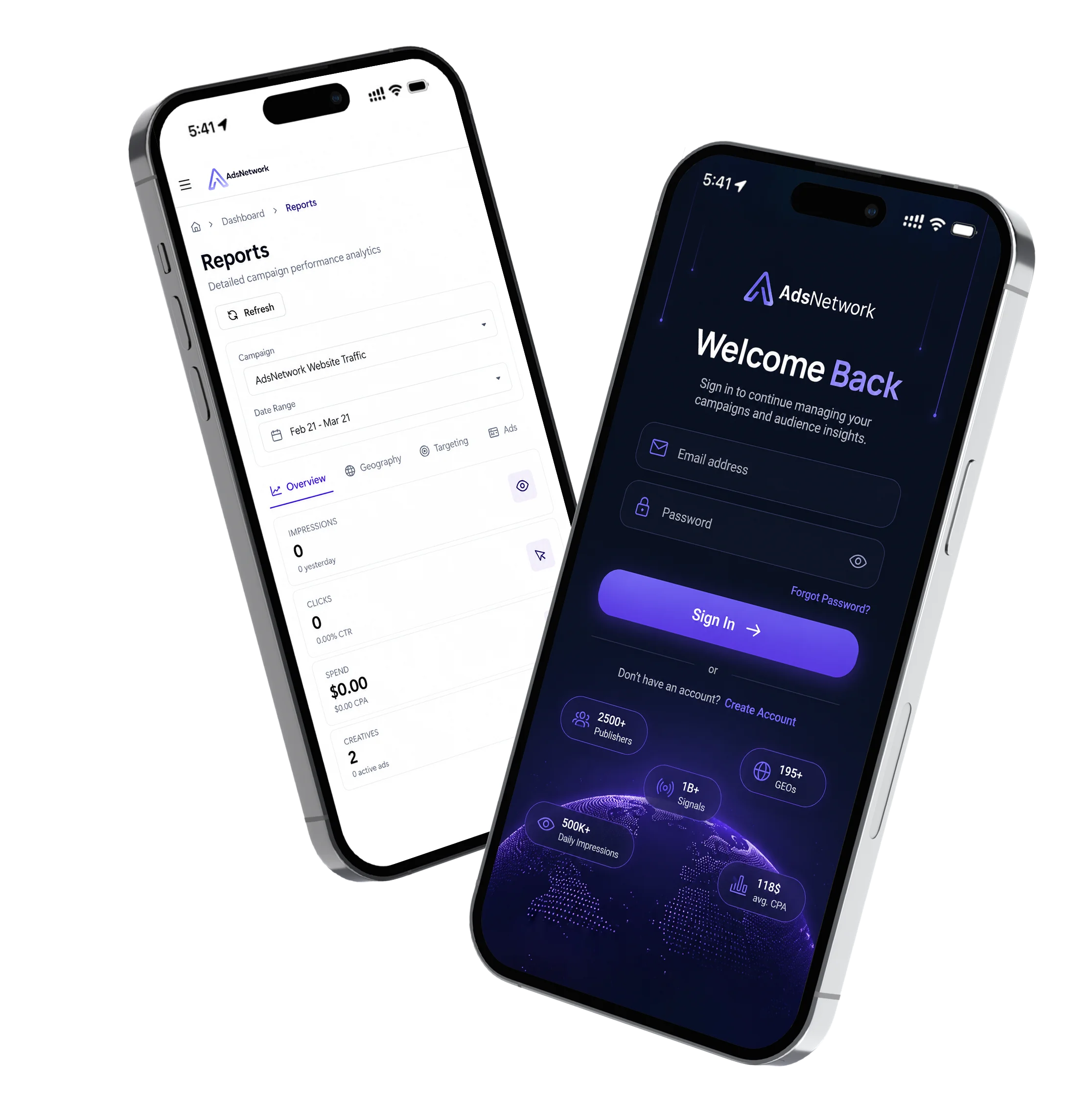
Stay connected to your live AdsNetwork campaigns with our mobile advertising app. Track impressions, clicks, conversions, campaign spend, and overall performance in real time—anytime, anywhere. Available for iOS and Android.