
Choosing the right banner size for display banner ads can affect your campaign’s visibility, engagement, and cost efficiency. The most widely used banner ad sizes include the 300×250 medium rectangle, 728×90 leaderboard, 300×600 half page, and 320×50 mobile banner.
Each format serves a different purpose. Some fit naturally within articles, others work well above the main content, and mobile formats are designed for smaller screens. Selecting the right dimensions helps you reach your audience without disrupting the browsing experience.
This guide covers standard banner ad sizes, their recommended placements, mobile formats, file requirements, and practical design tips to help you build more effective display campaigns in 2026.
Standard Banner Ad Sizes Chart
The following chart covers widely used IAB-style display ad dimensions for desktop and mobile campaigns. These website ad sizes are common starting points, although actual availability depends on the publisher, ad network, and placement.
| Banner name | Size (pixels) | Device | Best placement |
| Medium rectangle | 300×250 | Desktop and mobile | Within articles or beside content |
| Large rectangle | 336×280 | Desktop and mobile | Article sections and content columns |
| Leaderboard | 728×90 | Desktop | Above content or below the header |
| Large leaderboard | 970×90 | Desktop | Wide page headers |
| Billboard | 970×250 | Desktop | Prominent placements above content |
| Wide skyscraper | 160×600 | Desktop | Sidebars |
| Half page | 300×600 | Desktop | Beside long-form content |
| Portrait | 300×1050 | Desktop | Tall sidebar placements |
| Mobile banner | 320×50 | Mobile | Mobile page headers or footers |
| Large mobile banner | 320×100 | Mobile | Mobile content sections |
| Small mobile banner | 300×50 | Mobile | Compact mobile placements |
| Mobile interstitial | 320×480 | Mobile | Full-screen or transitional placements |
| Banner | 468×60 | Desktop | Narrow content areas and legacy placements |
Dimensions refer to width × height in pixels. A 320×480 placement is a common mobile interstitial format, but it isn’t a universal standard for every device or network.
These display ads sizes cover several common placements, from compact mobile banners to large desktop creatives. Before designing an ad, check the dimensions accepted by your advertising platform and the available inventory.
The Best Performing Banner Ad Sizes

No single format performs best in every campaign. These four sizes are popular because they suit common placements and provide a practical starting point for testing. They can also influence display ad CPM (cost per thousand impressions), depending on placement, audience, demand, and competition among advertisers.
300×250 Medium Rectangle
The 300×250 medium rectangle is one of the most versatile banner sizes. It works well within articles, alongside editorial content, and in other prominent placements. Its balanced dimensions provide enough room for a product image, concise message, and call to action. Its versatility and strong demand across advertising placements can make it a competitive format for display ad CPM.
728×90 Leaderboard
The 728×90 leaderboard is a wide, shallow format designed primarily for desktop screens. It works well near page headers or above the main content, making it useful for brand awareness and promotional messaging. Its prominent placement can attract advertiser demand and support higher display ad CPM when visibility and audience quality are strong.
300×600 Half Page
The 300×600 half page provides more vertical space for imagery, messaging, and product details. It is commonly placed beside long-form content, where its larger footprint can improve visibility without requiring an interactive format. Its expanded ad space and visibility can contribute to higher display ad CPM, particularly on content-rich pages.
320×50 Mobile Banner
The 320×50 mobile banner is designed for narrow mobile screens. It works well in compact placements, particularly when the creative uses a simple message, recognisable branding, and a clear call to action. Display ad CPM for mobile banners can vary depending on mobile traffic quality, ad viewability, and advertiser demand.
Mobile Banner Ad Sizes
Mobile advertising requires special attention to screen dimensions, readability, and placement. A creative that looks clear on desktop may become difficult to read when scaled down.
These are common mobile formats to consider:
- 320×50: A compact mobile banner suited to narrow placements.
- 320×100: A taller banner with more room for messaging and visuals.
- 300×250: A medium rectangle that can appear within mobile articles or between content sections.
- 320×480: A common interstitial ad size that occupies much of a mobile screen.
A mobile interstitial ad size should match the available screen space and the platform’s specifications. Full-screen formats can attract attention, but excessive or poorly timed interruptions may frustrate users.
For better mobile performance, use readable text, lightweight creative files, and a prominent CTA. Keep banners away from navigation elements and interactive controls, and test your ads on different screen sizes.
Types of Banners
There are several types of banners, each suited to different campaign goals and creative requirements.
Static banners use a fixed image, usually in JPG or PNG format. They’re straightforward to produce and work well for simple offers, product promotions, and brand messages.
Animated banners use motion to attract attention, commonly through GIF or HTML5 creative. Keep animation purposeful and avoid excessive movement that distracts from the message.
Rich media HTML5 banners can include interactive elements, animation, and other dynamic features. They offer more creative flexibility but may require additional development and testing. Learn more about rich media ads.
Native banners are designed to match the appearance of the surrounding content while remaining clearly labelled as advertising. They’re useful for content discovery and contextual promotion. Read our guide to native ads vs display ads for a closer comparison.
Interstitial banners appear between content or during transitions, often taking up most of the screen. They’re prominent but should be used carefully to avoid disrupting the user experience.
Banner Ad File Size and Format Limits
Creative specifications vary by advertising network, placement, and campaign type. The following table provides general guidance rather than confirmed AdsNetwork upload limits.
| File type | Typical use | File size considerations | Animation |
| JPG | Static photographic banners | Compress images to reduce loading time | No |
| PNG | Static graphics and transparent images | Optimise dimensions and compression | No |
| GIF | Simple animated banners | Keep file size and frame count low | Yes |
| HTML5 | Interactive and animated creatives | Follow platform-specific ZIP, asset, and code requirements | Yes |
There is no single file size limit or animation duration that applies to every platform. Before uploading, check the current AdsNetwork specifications for maximum file size in KB, supported formats, animation length, frame rate, and any HTML5 requirements.
Optimised files help ads load quickly, particularly on mobile connections. Avoid unnecessary assets and test the final creative after compression to make sure text and images remain clear.
Banner Design Tips That Improve CTR
The right dimensions give your ad space to work, but creative quality influences whether people notice and click it. Use these six tips to improve your display campaigns.
- Keep the message clear. Focus on one offer or benefit rather than trying to communicate everything at once.
- Make the CTA visible. Use concise action text such as “Learn More,” “Get Started,” or “Shop Now.”
- Include your brand logo. Help users recognise your business without letting the logo overwhelm the message.
- Use strong contrast. Make text, buttons, and important visuals easy to distinguish from the background.
- Limit the copy. Short headlines and supporting text are easier to read, especially in smaller formats.
- Test two or three sizes. Compare formats such as 300×250, 728×90, and 320×50 where suitable inventory is available.
Track click-through rate (CTR), conversions, and cost per acquisition rather than judging performance by clicks alone. A display banner with a high CTR may still generate few valuable conversions if the landing page or offer doesn’t meet user expectations.
Banner Ad Sizes: The Right One for You
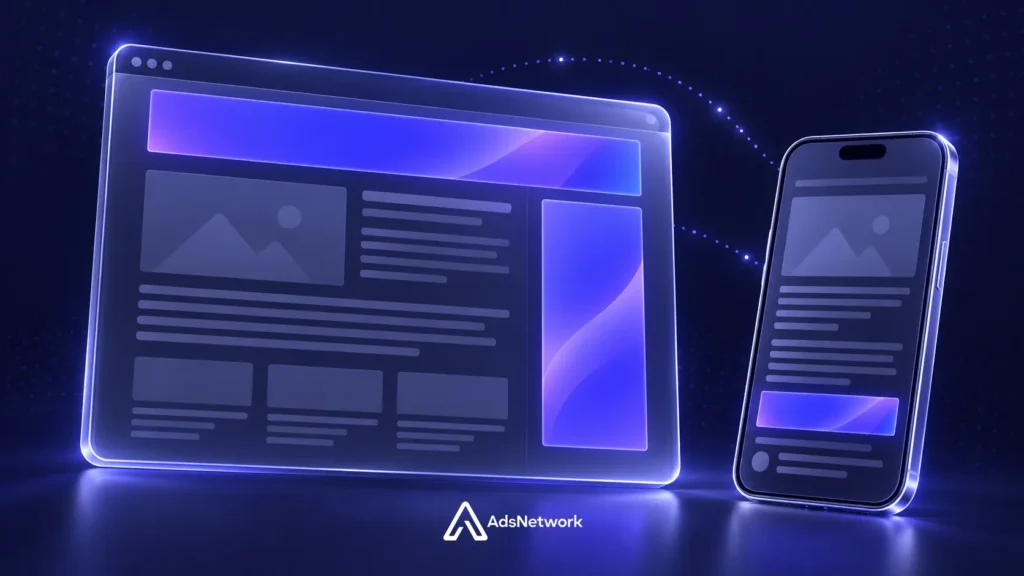
The right banner ad sizes depend on your audience, placement, and campaign goals. Start with proven formats, test different dimensions, and optimise your creative based on performance.
Run display banner campaigns on AdsNetwork to reach your audience with the right formats.
Featured Posts

Nov 9, 2026
11 min read
10 Best Popunder Ad Networks in 2026
Choosing among the best popunder ad networks in 2026 depends on your goals. AdsNetwork is our first choice…
Read Article
Nov 6, 2026
8 min read
How Much Does Native Advertising Cost in 2026?
Native advertising costs vary depending on your target audience, industry, campaign goals and pricing model. Some campaigns can…
Read Article
Oct 30, 2026
12 min read
12 Best Google AdSense Alternatives for Publishers in 2026
The best AdSense alternatives depend on your website’s traffic, niche, and revenue goals. Some networks work well for…
Read ArticleNeed Help?
Our team is ready to help you launch successful campaigns.
AI-Powered Mobile
Monitor Your Campaigns Anywhere
Stay connected to your live AdsNetwork campaigns with our mobile advertising app. Track impressions, clicks, conversions, campaign spend, and overall performance in real time—anytime, anywhere. Available for iOS and Android.