
Programmatic advertising is now the default way digital ads are bought and sold. According to Statista, global programmatic ad spend reached $595 billion in 2024. Yet for many advertisers running their first campaign, the terminology is confusing, the setup is unfamiliar, and it is unclear what results to expect or how long to wait for them.
This guide is not a technical reference. It is a practical walkthrough for anyone new to programmatic: what the terms mean, how a first campaign is set up, what you will see in the first 30 days, and what mistakes to avoid. For the complete technical overview of how the system works at an infrastructure level, see our full guide to programmatic advertising.
What Is Programmatic Advertising?
Programmatic advertising is the automated process of buying digital ad space using software and real-time data. Instead of negotiating placement deals directly with publishers, advertisers use a platform called a DSP (Demand-Side Platform) to set targeting criteria and bid automatically on individual ad impressions.
Each time a user loads a webpage, a millisecond auction runs. Your DSP evaluates the impression, decides whether it matches your targeting rules, and places a bid if it does. The highest qualifying bid wins, and the ad is served before the page finishes loading. This entire process takes under 100 milliseconds.
The key advantage is precision. Specifically, you are not buying space on a website. You are bidding on specific users in specific contexts at specific moments. Instead of paying for everyone who visits a sports news site, you pay only for users who match your targeting criteria, whether that means a particular location, device type, browsing behavior, or, for Web3 campaigns, specific on-chain wallet activity.
How Programmatic Advertising Works
The auction process behind programmatic advertising is simpler to understand than the jargon suggests. Here is what happens each time a user loads a page:
- The publisher’s ad server detects an available slot and sends a bid request to an ad exchange.
- The exchange broadcasts the request to connected DSPs, including data about the user, the page, and the floor price.
- Your DSP evaluates the impression and places a bid if it matches your campaign settings.
- The highest valid bid wins. The winning ad is delivered to the user instantly.
- Performance data feeds back into the DSP, which uses it to optimize future bids automatically.
The data behind each bid matters more than the speed. Your DSP uses information about the user, the content context, historical performance, and your campaign goals to calculate the right bid price. Furthermore, those calculations improve over time as the system learns which impressions convert best for your specific objectives.
Programmatic Advertising Terminology Explained
Before setting up a campaign, it helps to understand the terms you will encounter in every DSP dashboard. These are the definitions that matter most for a first campaign.
Buying and Pricing Terms
CPM (Cost Per Mille) is the price per 1,000 impressions. Most programmatic campaigns price inventory on a CPM basis. For example, a $5 CPM means you pay $5 for every 1,000 times your ad is displayed.
CPC (Cost Per Click) is the price you pay per click. Some DSPs let you optimize toward CPC automatically, even though the underlying auction still runs on a CPM model.
CPA (Cost Per Acquisition) is the price per conversion, such as a signup, purchase, or wallet connection. Specifically, CPA optimization tells the DSP to prioritize impressions most likely to convert, not just the cheapest clicks.
ROAS (Return on Ad Spend) measures revenue generated for every dollar spent. A 3x ROAS means you earned three dollars for every dollar of ad spend. Consequently, ROAS is the most revenue-aligned metric for campaigns with direct conversion goals.
Floor price is the minimum CPM a publisher will accept. Bids below the floor are automatically rejected. Additionally, dynamic floor prices adjust in real time, so the same placement may require different bids at different moments.
Delivery and Measurement Terms
Impression is a single instance of your ad being displayed to a user. One user loading one page counts as one impression.
Frequency cap limits how many times the same user sees your ad within a given time window. Without a frequency cap, the same user can see your ad dozens of times, which wastes budget and creates a negative experience. Therefore, setting this before launch is essential.
Viewability measures whether an ad was actually visible to the user. The IAB standard defines a display ad as viewable if at least 50% of its pixels are visible for at least one second. However, ads that load below the fold or are immediately scrolled past may count as served but not viewable.
CTR (Click-Through Rate) is the percentage of impressions that result in a click. A 0.1% CTR means 1 click per 1,000 impressions, which is a typical display benchmark. For context, social and search ads typically generate higher CTRs because the intent is higher.
Win rate is the percentage of auctions your bids win. A win rate below 10% typically means your bids are too low. In contrast, a win rate above 60% often means you are bidding too high and overpaying.
Audience and Targeting Terms
First-party data is data you own directly, such as your customer list, website visitors, or CRM contacts. It is the most valuable targeting signal because it reflects your actual audience. Furthermore, it remains fully functional as third-party cookies are deprecated.
Third-party data is audience data purchased from external providers. It is less precise than first-party data, but it is useful for reaching new audiences before you have built sufficient first-party volume.
Lookalike audience is a segment of new users who share behavioral characteristics with your existing customers. DSPs build lookalikes from first-party seed audiences to expand reach while maintaining relevance.
Contextual targeting matches your ads to page content rather than individual users. For example, an ad for a DeFi product appears on pages about cryptocurrency trading, regardless of who is reading them. This approach is also privacy-safe since it does not rely on user identity.
The Programmatic Tech Stack: DSPs, SSPs, and Ad Exchanges
Three platforms power every programmatic transaction. Understanding what each one does helps you make better decisions when choosing a platform and interpreting your campaign data. However, as an advertiser, you only interact directly with one of them.
A Demand-Side Platform (DSP) is the tool advertisers use. It connects to ad exchanges, applies your targeting rules, manages your budget, and submits bids on your behalf. Your creatives, targeting settings, bid strategy, and performance reports all live in your DSP. Advanced DSPs for Web3 campaigns additionally offer wallet-based segmentation and on-chain behavioral targeting.
A Supply-Side Platform (SSP) is the publisher’s equivalent. Publishers connect their ad inventory to an SSP, which puts that inventory up for auction and maximizes revenue by exposing it to multiple buyers simultaneously.
The ad exchange is the marketplace connecting DSPs and SSPs. It runs the auction, collects bids within the timeout window, and delivers the winning ad to the publisher. For advertisers, the exchange is largely invisible. You interact with your DSP; the DSP interacts with the exchange.
How to Set Up Your First Programmatic Campaign
Most first-time programmatic advertisers make the same mistake: they rush to launch before defining what success looks like. A properly structured first campaign starts with objectives and works backward to creative, targeting, and budget.
Step 1: Define a Single Clear Objective
The single most important decision in a programmatic campaign is choosing one primary conversion objective. DSPs optimize toward what you tell them to, so vague goals produce vague results. Decide whether you are optimizing for brand awareness (CPM), clicks (CPC), leads or signups (CPA), or revenue (ROAS). For your first campaign, choose one. Trying to optimize for everything simultaneously gives the algorithm conflicting signals and slows down the learning process.
Step 2: Choose Your Buying Model
Programmatic inventory is available through different buying structures. Open exchange RTB is the standard starting point: your DSP bids on any matching impression in real-time auctions. It provides broad reach and flexible pricing. Private marketplace (PMP) deals give you access to curated, premium inventory from specific publishers. Programmatic guaranteed locks in fixed pricing and impression volumes. For a first campaign, start with open exchange to gather data before committing to fixed deals.
Step 3: Build Your Audience Segments
Define your primary and secondary audiences before uploading a single creative. Your primary audience uses your strongest signals: first-party retargeting lists, lookalike audiences built from existing customers, or specific behavioral segments. Your secondary audience is broader and serves as a fallback for impressions where the primary signal is unavailable. Additionally, for Web3 campaigns, on-chain behavioral data such as wallet activity, DeFi protocol usage, or NFT transaction history can replace conventional cookie-based signals entirely.
Step 4: Create Multiple Ad Variations
Upload at least two to three creative variations per ad size. Programmatic platforms test creatives automatically and allocate budget toward better-performing versions. If you launch with a single creative, you have no comparison data and no way to improve through testing. Standard sizes to cover are the 728×90 leaderboard, the 300×250 medium rectangle, and the 320×50 mobile banner. Native and video formats require separate creative assets but deliver stronger engagement benchmarks than standard display.
Step 5: Set Realistic Budget and Bid Parameters
Set a daily budget that allows at least 20 to 50 impressions per day per audience segment. Too small a budget prevents the algorithm from gathering sufficient data to optimize. For a first programmatic campaign, start with a focused geography and a daily budget that you can sustain for 14 to 30 days without pressure to cut it early. Bid strategy should start with CPM to build the impression data the algorithm needs, then shift toward CPC or CPA optimization once conversion tracking is validated.
Step 6: Configure Frequency Caps and Brand Safety
Set a frequency cap of three to five impressions per user per day as a starting point. Without this setting, your budget can exhaust itself against a small pool of users, reducing reach while inflating cost-per-result. Separately, configure brand safety controls to exclude content categories unsuitable for your brand. Most DSPs provide IAB content category blocklists and publisher-level exclusions. Reviewing your placement report in the first week frequently reveals unexpected inventory that is worth adding to your exclusion list.
Step 7: Implement Conversion Tracking Before Launch
Conversion tracking is the single most common thing first-time programmatic advertisers forget to set up before launch. Without it, you cannot measure CPA, optimize toward conversions, or prove campaign ROI. Implement your DSP’s conversion pixel on your target action pages, whether that is a signup confirmation, a wallet connect event, or a purchase confirmation page. Verify that the pixel fires correctly in a test environment before spending any budget.
What to Expect in the First 30 Days
New programmatic advertisers often misread early campaign performance because they do not know what normal looks like. Here is a realistic picture of the first month.
Days 1 to 7 are the learning phase. The DSP’s algorithm is gathering data on which impressions, audiences, and creatives produce results. Costs during this period are often higher than they will be once the algorithm has enough data to optimize effectively. Consequently, do not make major changes to targeting or budget in the first week. Give the algorithm time to learn.
Days 8 to 14 typically show improvement in cost metrics as the algorithm begins identifying patterns. CTR and conversion rates should start to stabilize. As a result, this is when you should review your placement report and add any low-quality publishers to your exclusion list. Pause creatives with significantly below-average performance and replace them with new variations.
Days 15 to 30 are when meaningful optimization becomes possible. By this point you have enough conversion data to shift from CPM to CPA optimization if your volume supports it. Accordingly, analyze which audience segments are converting at the best cost and reallocate budget. This is also when you can begin testing new ad formats or audience expansions confidently, because you have a performance baseline to compare against.
Programmatic Advertising Targeting Options
Programmatic platforms offer more targeting options than any other paid media channel. However, more options do not mean better results. In particular, the most effective first campaigns use two to three well-chosen signals rather than stacking every available layer simultaneously.
- Behavioral targeting: reaches users based on past browsing patterns, purchase signals, or content categories they engage with regularly
- Contextual targeting: matches ads to page content rather than individual users, which makes it privacy-safe and effective for brand awareness
- Geographic targeting: defines the exact markets you want to reach, from country level down to city or postcode
- Device and browser targeting: separates mobile and desktop audiences, which often require different creatives and bid levels
- Retargeting: re-engages users who have previously visited your website or taken a specific action
- Lookalike audiences: expands reach to new users who share characteristics with your best existing customers
- On-chain wallet targeting: available through Web3-specific DSPs, this reaches users based on verified blockchain activity rather than conventional cookies
Programmatic Advertising Mistakes Beginners Make
Most first programmatic campaigns underperform not because of the platform but because of avoidable setup errors. These are the most common mistakes and how to avoid them.
Setting too narrow an audience immediately. Over-targeting reduces scale and prevents the algorithm from finding enough data to optimize. Start broader, gather data, then narrow based on what you learn.
Pausing the campaign too early. Programmatic algorithms need time to learn. Campaigns paused in the first week based on surface metrics almost always relaunch to worse performance because the algorithm has to start its learning process again.
No frequency cap. Without this setting, the same small group of users sees your ad repeatedly. Your reach stays narrow, your cost per result climbs, and user sentiment turns negative.
Launching without conversion tracking. Running programmatic spend without conversion tracking produces impression and click data but no evidence of business impact. Install and verify the conversion pixel before spending any budget.
Using only one creative. A single creative cannot be tested or improved. Always launch with at least two variations and let the data determine which performs better.
Ignoring the placement report. Programmatic campaigns frequently serve on publishers that are technically within your category rules but deliver poor results. Review your placement report weekly and build an exclusion list continuously.
Your Programmatic Advertising Guide: Starting Points
Programmatic advertising is not as complicated as the jargon makes it sound. At its core, you set a goal, define an audience, upload creative assets, and let the algorithm bid on individual impressions that match your criteria. The system improves over time as it gathers conversion data and learns which impressions produce results.
The key principles for a successful first campaign: define one clear objective, set a realistic budget and sustain it for at least 30 days, implement conversion tracking before launch, and review your placement report weekly. Specifically, teams that follow these four steps consistently outperform those optimizing reactively. Ready to launch? Explore AdsNetwork’s programmatic advertising solutions to start running data-driven campaigns that reach the right audience at the right time.
Featured Posts
Oct 23, 2026
10 min read
What Is CPM in Advertising? Meaning, Formula and 2026 Rates
CPM is the cost an advertiser pays for 1,000 ad impressions, making it one of the most common…
Read Article
Sep 23, 2026
6 min read
What Is Advertising Technology (AdTech) and How Does It Work?
Advertising technology, commonly known as AdTech, refers to the software, platforms, tools, and systems used to plan, buy,…
Read Article
Sep 16, 2026
8 min read
Media Buying: A Complete Guide for Advertisers
Media buying is the process of purchasing advertising space to reach a target audience. It includes choosing where…
Read ArticleNeed Help?
Our team is ready to help you launch successful campaigns.
AI-Powered Mobile
Monitor Your Campaigns Anywhere
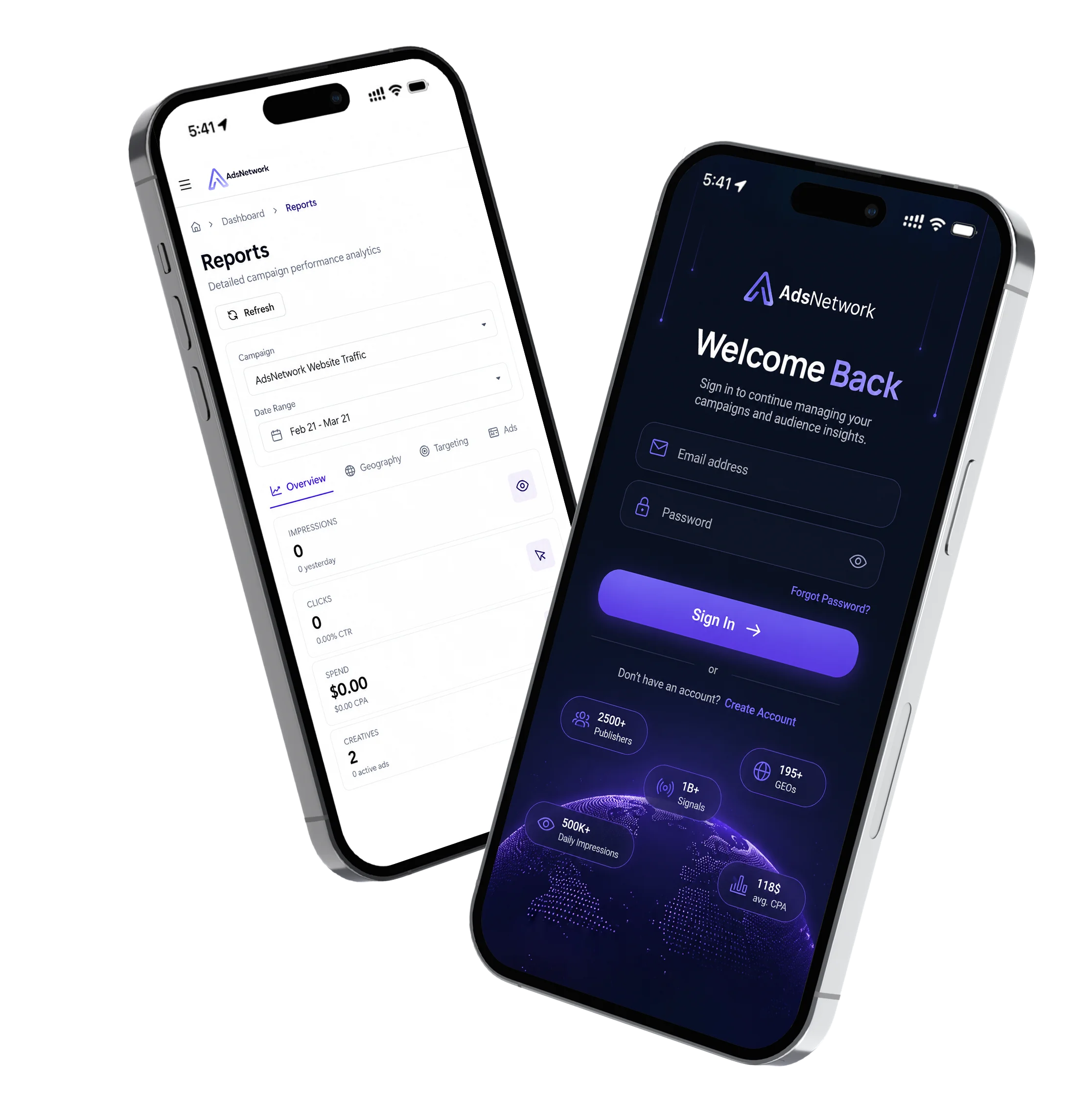
Stay connected to your live AdsNetwork campaigns with our mobile advertising app. Track impressions, clicks, conversions, campaign spend, and overall performance in real time—anytime, anywhere. Available for iOS and Android.